
Block ads and trackers across your whole home: Pi-hole and AdGuard Home
Most people block ads with a browser extension. That only covers that one browser, on that one device. There is a better, quieter way: block ads and trackers for your whole home at once, including phones, smart TVs and gadgets you cannot install an extension on. I run this setup at home, so here is how it works.
The idea: block at the DNS level
Every time a device loads a page, it first looks up the addresses it needs through something called DNS, the internet’s phone book. Ads and trackers live on known domains. A network-level blocker sits in the middle and simply refuses to look those domains up, so the ad or tracker never loads, on every device on your wifi.
Two free, open-source tools do this brilliantly: Pi-hole and AdGuard Home.
Pi-hole
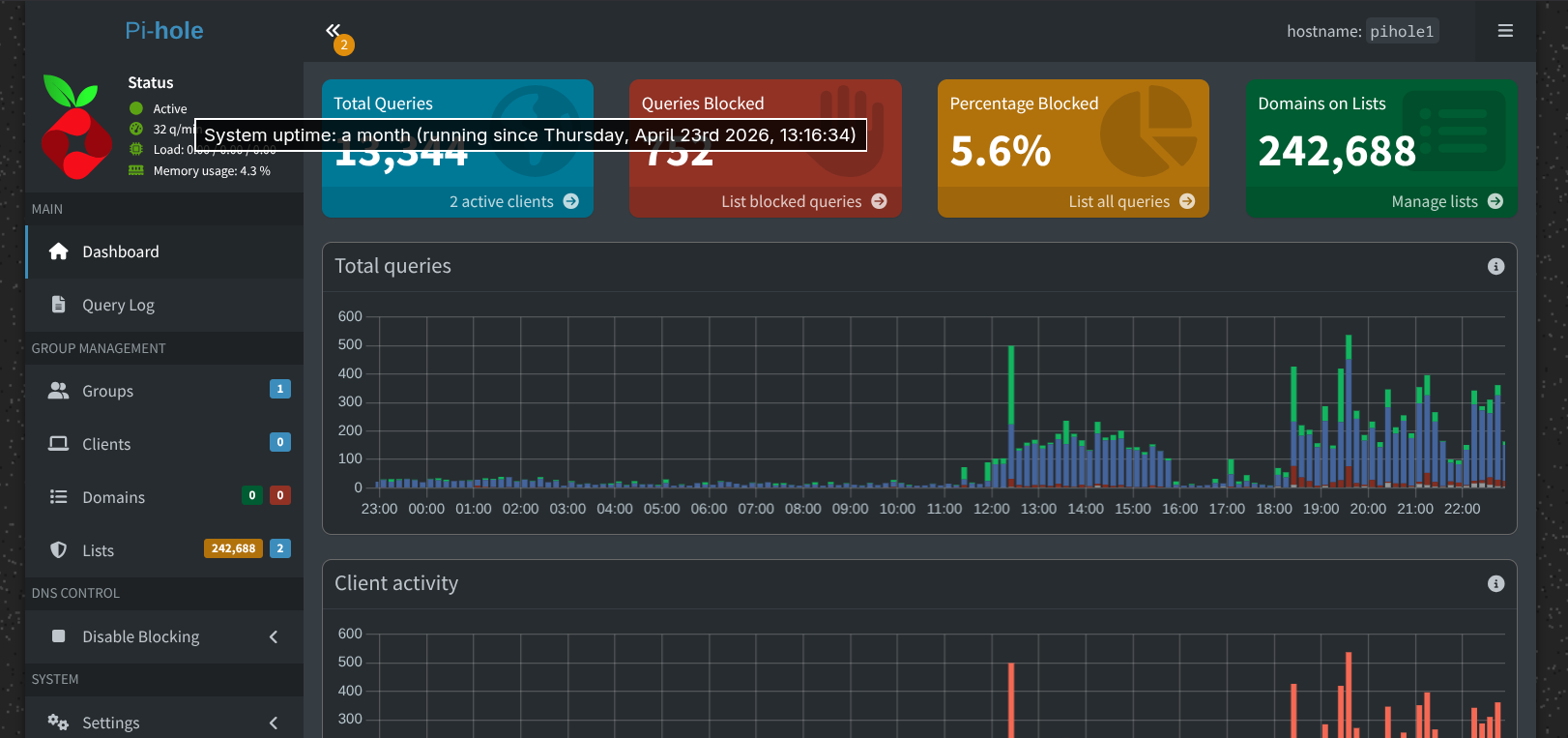
Pi-hole is the classic. It is free, open-source, and runs on a cheap Raspberry Pi, an old computer, or a container. You point your home router at it and it becomes your network’s blocker. You get a tidy dashboard showing exactly what every device is trying to contact, which is eye-opening the first time you see how much your phone and TV quietly phone home.
I run Pi-hole alongside Unbound, which means my DNS look-ups resolve directly rather than going through a big provider, so I hand less of my browsing to anyone. That is the privacy-maximising route, and it is exactly the kind of thing this site is about.
A Raspberry Pi is handy well beyond this too, for a home media server, light home automation or a small file server, so it rarely ends up in a drawer.
You may not need to buy anything. Pi-hole runs on almost any always-on computer, so an old laptop or spare PC will do for free, and it can also run in Docker on a machine you already leave on.
If you do want dedicated hardware, the cheapest route is a Raspberry Pi Zero 2 W (often around £15 to £20). A full starter kit costs more but bundles the board, case, power supply and memory card if you would rather not piece it together. Those are affiliate links: as an Amazon Associate we earn from qualifying purchases, at no extra cost to you.
AdGuard Home (the main alternative)
AdGuard Home does the same job and is the obvious alternative to Pi-hole. It is also free and open-source, runs on the same kind of hardware, and many people find its setup a little friendlier. Its handy extra is that encrypted DNS is built in, along with parental controls. You would run one or the other as your network’s resolver, not both at once, though it is fine to trial each.
No Raspberry Pi? You can still do most of this
You do not need hardware to get network-level blocking. A couple of hosted options just need you to change your DNS settings:
- AdGuard DNS is a free public DNS that blocks ads and trackers, with apps for phones.
- NextDNS is a hosted blocker with a generous free tier and a clean dashboard you can tune for your household.
These give you a big chunk of the benefit with almost none of the setup.
The honest caveats
- DNS blocking cannot catch everything. Ads served from a site’s own domain, like YouTube and some social feeds, often slip through.
- Now and then it blocks something you actually wanted, and you simply add that domain to an allowlist.
- The self-hosted route takes a bit of setup. The hosted options above are the shortcut.
Why bother
It covers every device on your network, including the ones you cannot put an ad-blocker on, it speeds up browsing a little, and it shows you just how much tracking happens in the background. For a privacy-minded household it is one of the highest-impact things you can set up once and mostly forget.
For the wider picture, start with our simple guide to protecting your privacy online, and see what a VPN is and isn’t for how this sits alongside a VPN. More in our privacy section.